 natbox
CaptchaBox / Docs / WordPress
Add a free captcha to WordPress
Last updated 6 November 2026 · By Mohammad AlSaraf
The CaptchaBox plugin stops spam bots on your login, registration, lost password and comment forms, and on WooCommerce and Contact Form 7. Your visitors never pick traffic lights: their browser does a second of work in the background, and WordPress checks the result before it accepts the form.
1. Install the plugin
In WordPress, go to Plugins > Add New Plugin > Upload Plugin, choose the zip file, then Install Now and Activate.
Needs WordPress 6.3 or newer and PHP 7.4 or newer. Tested up to WordPress 7.1.
2. Get your keys
Sign in to the CaptchaBox client area (a free natbox account is enough, no server needed), choose Add a site and enter your domain, for example example.com. Subdomains like www or shop work automatically. You get a site key and a secret.
3. Paste them in and choose the forms
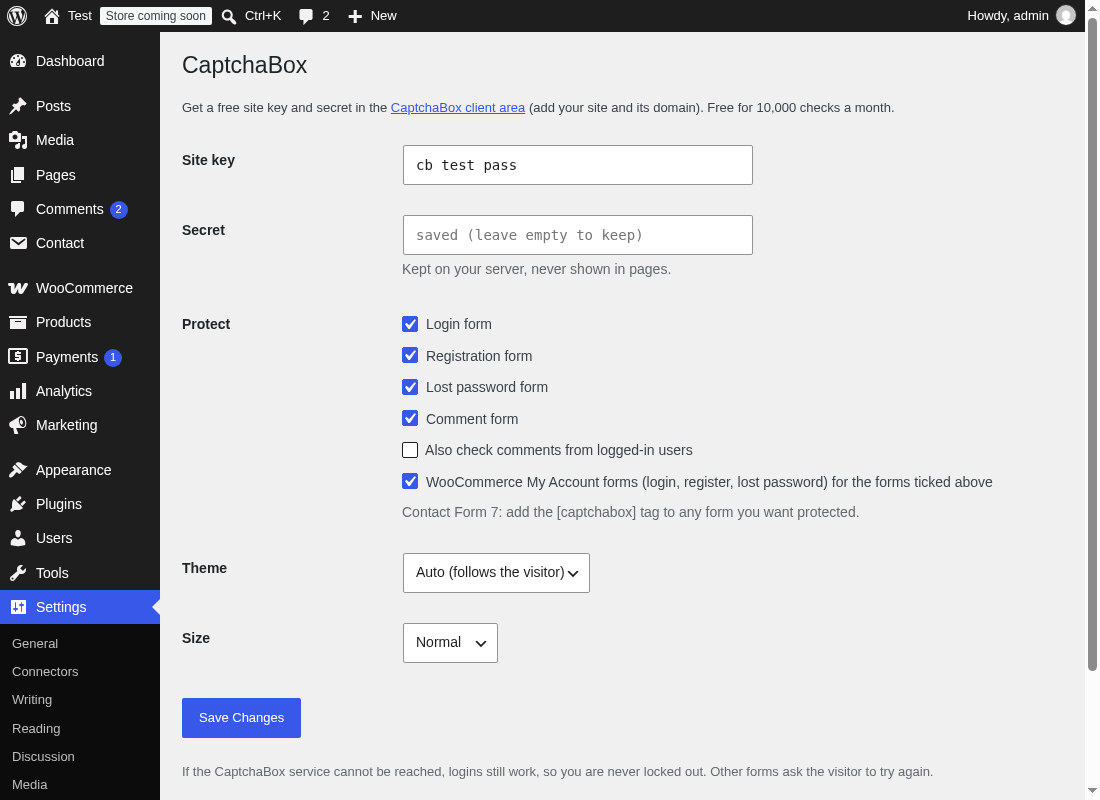
In WordPress, open Settings > CaptchaBox, paste both keys and save. Login, registration, lost password, comments and WooCommerce are protected straight away; untick any you do not want.
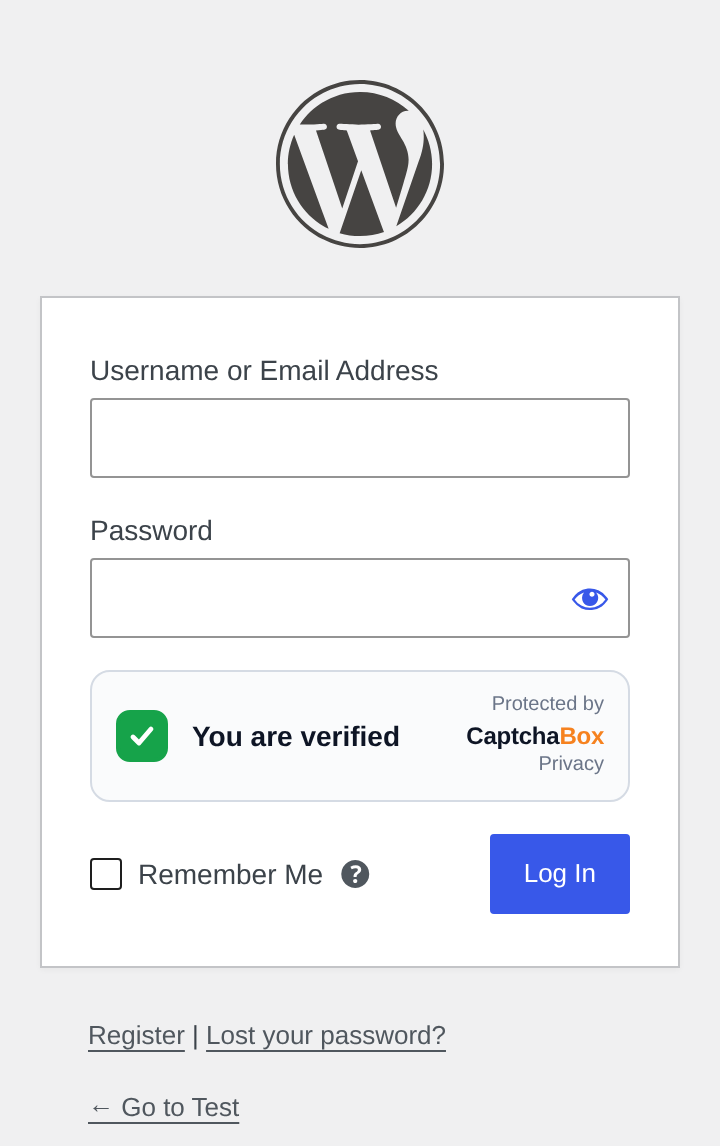
Then log out and open your login page: you should see the box tick itself after a second.
Trying it out? The test keys cb_test_pass (site key) and cbs_test_pass (secret) always pass, on any domain including localhost. Swap in your own keys from the client area before going live.
Contact Form 7
Add the tag [captchabox] to each form you want to protect, just above the submit button:
[email* your-email]
[textarea your-message]
[captchabox]
[submit "Send"]
Messages that fail the check are marked as spam and not sent. The widget gets a fresh token after every send, so visitors can send a second message without reloading.
What is protected
| Form | If CaptchaBox cannot be reached |
|---|---|
| Login (wp-login.php and WooCommerce) | Login still works, so you are never locked out |
| Registration (WordPress and WooCommerce) | Asks the visitor to try again |
| Lost password | Asks the visitor to try again |
| Comments (guests; tick a box to include logged-in users) | Asks the visitor to try again |
Contact Form 7 forms with [captchabox] | Marked as spam |
XML-RPC, the REST API and application passwords are not forms, so they are not affected: mobile apps and tools that use them keep working.
For developers
Change the widget on one form with the captchabox_widget_attributes filter. For example, start the check only when the visitor starts typing in the comment form:
add_filter( 'captchabox_widget_attributes', function ( $attrs, $context ) {
    if ( 'comments' === $context ) {
        $attrs['data-start'] = 'focus';
    }
    return $attrs;
}, 10, 2 );
Contexts: login, register, lostpassword, comments, woocommerce-login, woocommerce-register, woocommerce-lostpassword, cf7. All widget attributes are listed in the docs.
WordPress captcha questions
Is the WordPress captcha plugin free?
Yes. The plugin is free and open source (GPL), and the CaptchaBox service is free for 10,000 successful checks a month. Busy sites can move to Plus ( a month, 100,000 checks) or Pro ( a month, 1,000,000) without changing anything in WordPress.
Does it replace reCAPTCHA in WordPress?
Yes. Turn off your reCAPTCHA plugin and turn this one on. CaptchaBox loads nothing from Google, sets no cookies and shows no puzzles.
Do I need a cookie banner for it?
The widget sets no cookies and stores nothing in the browser, and visitor IP addresses are never stored. Mention it in your privacy policy as spam protection; see our privacy policy for the details you can link to.
Does it work with caching plugins?
Yes. The puzzle is fetched fresh in each visitor's browser, so cached pages work fine.
I locked myself out. What now?
That should not happen: if CaptchaBox cannot be reached, logins pass. If the keys are wrong, rename the folder wp-content/plugins/captchabox over FTP or SSH to turn the plugin off, log in, and fix the keys.
Other platforms: all CaptchaBox docs. Questions? Open a ticket, we reply within 24 hours.